
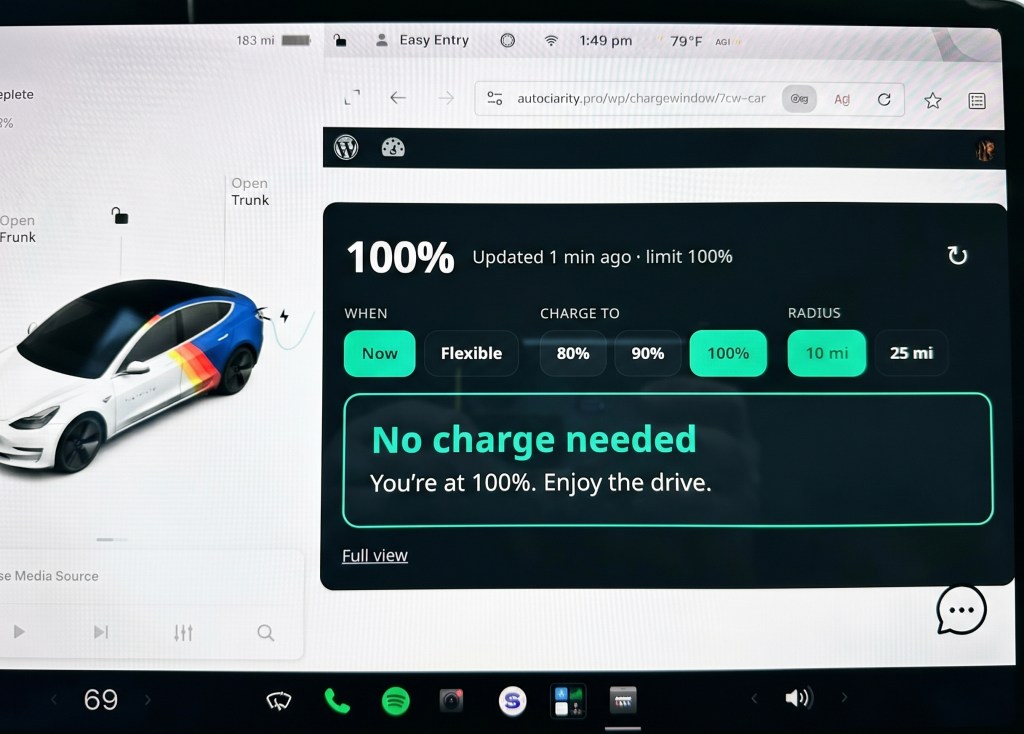
There’s a lot of noise right now about vibe coding, AI memes and scary AI. So I decided to try something.
For a while I’ve wanted an app that finds the Supercharger near me with the best price for the time of day. There are apps out there that do some of this, but most want a monthly subscription, and I’d be trusting someone else with my car’s data. I wanted my own app, on my own server, under my control. No subscription, no middleman.
I gave Claude the parameters and we got to work. I wanted the app to run on my own WordPress site so I wouldn’t depend on anyone else’s platform. That meant building a WordPress plugin.
The first big obstacle: Tesla doesn’t offer Supercharger pricing through any API. So Claude and I had to find another way.
The key decisions (mine, not the AI’s)
- WordPress plugin, not a native app. It runs on AutoClarity.pro’s existing server as a web app (PWA). That means it works in the car’s browser and skips the App Store entirely.
- Read-only Tesla access. No vehicle commands, no waking the car, as few API calls as possible.
- Prices learned, not fetched. With no official price source, the app learns rates from my own charging history. How it does that is my secret sauce, so I’m keeping it to myself. Pooling data across drivers comes later.
- Locked-down access. The phone and car each use a basic WordPress account, and public registration stays off.
Setup had to be simple. I built a page from a template I modified, and Claude provided a single shortcode to drop into it. Done.
Claude wrote the code. I did the thinking.
Claude wrote most of the code. But I had to tell it exactly what I wanted, test every iteration, suggest changes, set specific goals and steer the whole way. I also had to come up with the features a Tesla owner actually wants. Claude, being Claude, has no idea what a Tesla owner does or doesn’t care about. It has never stood at a Supercharger at 4:55 p.m. watching the clock until the off-peak rate kicks in.
Lesson one: take small bites. If you tell an AI up front that you want an app that does everything, scales to 100,000 users and runs on every device, it will happily try. You’ll end up with nothing that works and nothing you can easily fix. Start with the basics, get them working, then expand.
Lesson two: set hard rules. My most important one was simple: never wake the car unless I explicitly ask. Every time you wake a Tesla, it uses battery and counts against your API calls, and an app that’s careless about it will quietly drain both. Claude followed the rule, but only because I spelled it out. It wouldn’t have thought of it on its own.
I went through nine generations of code over two days, about 10 hours in total, before landing on “good enough for now.” To keep things manageable, I scoped it to just me, one Tesla model and read-only API access. I also had to set up a Tesla developer account and work through that process, which is its own adventure.
The architecture problem most vibe coders won’t see
My biggest mistake came early. The first version had no modules at all. Claude built a monolith: one big app with everything tangled together. It worked, but it wasn’t sustainable or supportable. Every fix risked breaking something unrelated.
GitHub Copilot flagged this and offered suggestions. I reviewed them, took maybe half back to Claude, and got the classic response: “Oh yeah, great idea. My bad for not recommending that.”
That’s the point. AI is a prediction engine, not a senior engineer. It doesn’t fill in blanks you never told it about. Using a second, more code-focused tool to review the work and feeding the results back to the first one works well. But I already knew there was an architecture problem. Plenty of vibe coders don’t, and they end up with spaghetti code at best and broken code at worst.
Security: you have to ask
Once I was happy with the code, I asked GitHub Copilot for a security review. Claude can do one too, but neither tool volunteered it. You have to ask. That review closed several small gaps and one not-so-small one.
I also told Claude that even though this was just for me, I wanted the bones in place to grow to multiple users and cars, without building those features yet.
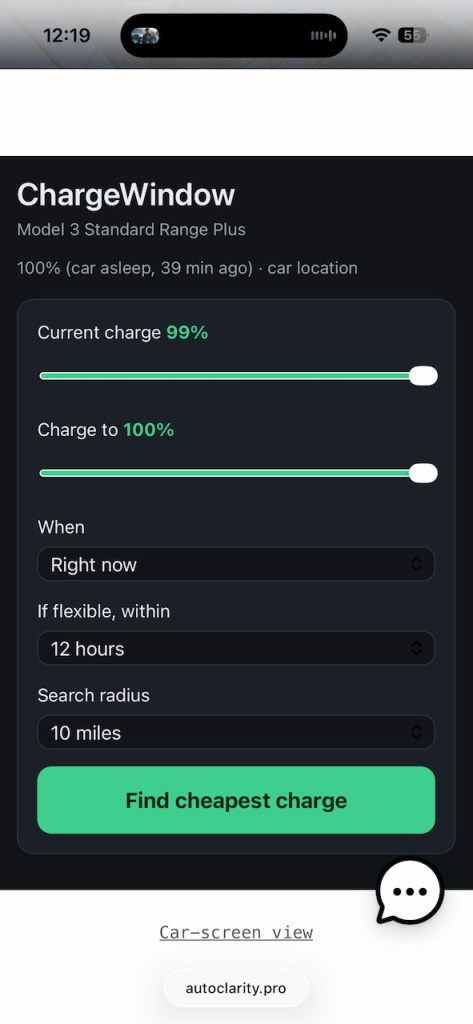
Here is the result. This is a screen shot of my final output for today. This is the app using Safari on my iPhone. I specifically asked Claude to make sure the app would render on the Tesla browser so there is a button so when I load on the Tesla, It will flip to a Tesla screen friendly view with oversized buttons.
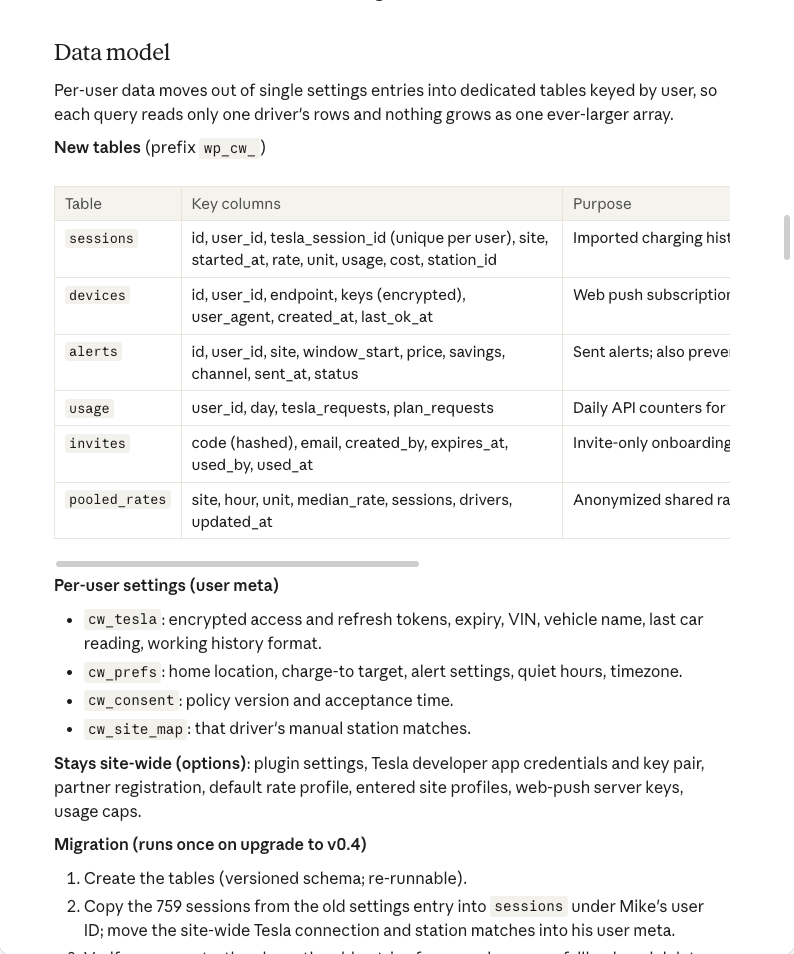
I also had Claude write complete documentation for the plugin, now at v0.3.3 (October 10, 2026) and running on AutoClarity.pro. Here is a sample of the document package. And to be frank, this is one of the best parts of using Claude to help write code. Everything can be documented. I had Claude document the actual code and then write up architectural diagrams and models
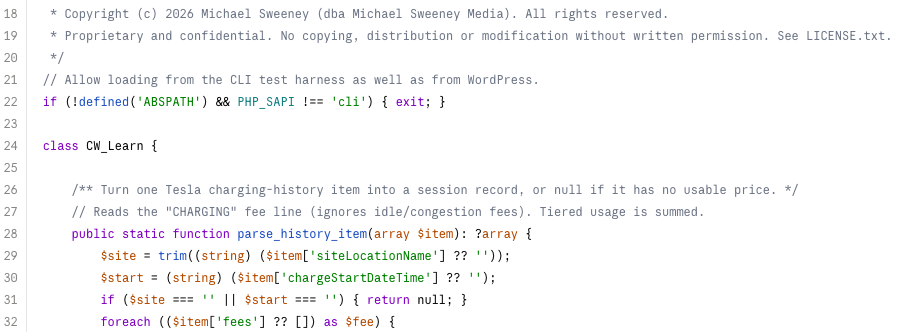
Here is a sample of the code generated with commentary
What’s next: from my tool to a dozen drivers
I had Claude draft an architecture plan to move ChargeWindow from a one-owner tool to an invite-only proof of concept for about a dozen Tesla drivers, built to grow to a few hundred without a rewrite. Each driver connects their own Tesla, sees only their own car and gets price alerts on their phone. Prices get better as drivers’ histories are pooled anonymously.
It ships in three releases: v0.4 (multi-user foundation), v0.5 (price alerts) and v0.6 (shared prices), plus a launch checklist before the first invite goes out.
Goals
- Each driver sees only their own battery, location and history
- Invite-only onboarding with explicit consent, plus self-service data export and deletion
- Price alerts as phone notifications, with email as a fallback
- Better prices for everyone through pooled, anonymized rates
- Predictable Tesla API costs, with per-user and site-wide caps
- A structure that could move off WordPress if it outgrows it
Not in the proof of concept: public sign-up, payments, any vehicle commands, native apps, live Supercharger prices (still no official source) or non-Tesla vehicles.
What success led to next
Once ChargeWindow worked, I wanted to see what else I could build. My next project is a scheduler for Sentry Mode, Tesla’s built-in security camera system. Tesla lets you turn Sentry Mode off at places like home or work, but it can’t switch it on or off by time of day. I designed an app that controls it by both location and time, using the same approach: small bites, hard rules and a human making the calls.
That one’s a story for another post.
The bottom line
In 10 hours, AI didn’t build this app. We built it. Claude was a fast, tireless, occasionally overconfident coder. I was the product owner, architect, QA team and security officer. If you’re going to vibe code, bring the vibe and the judgment.
A note on how this post was made: I wrote it, and Claude helped with editing and suggestions. That seemed only fair.

Leave a Reply